Document-Driven Human-AI Collaboration: An Empirical Study of AI Agent Development Methodology
Download PDFObsidianOpencodeDeepSeek V4 FlashOllamaQwen3:14B
Chapter 1-1
Executive Summary
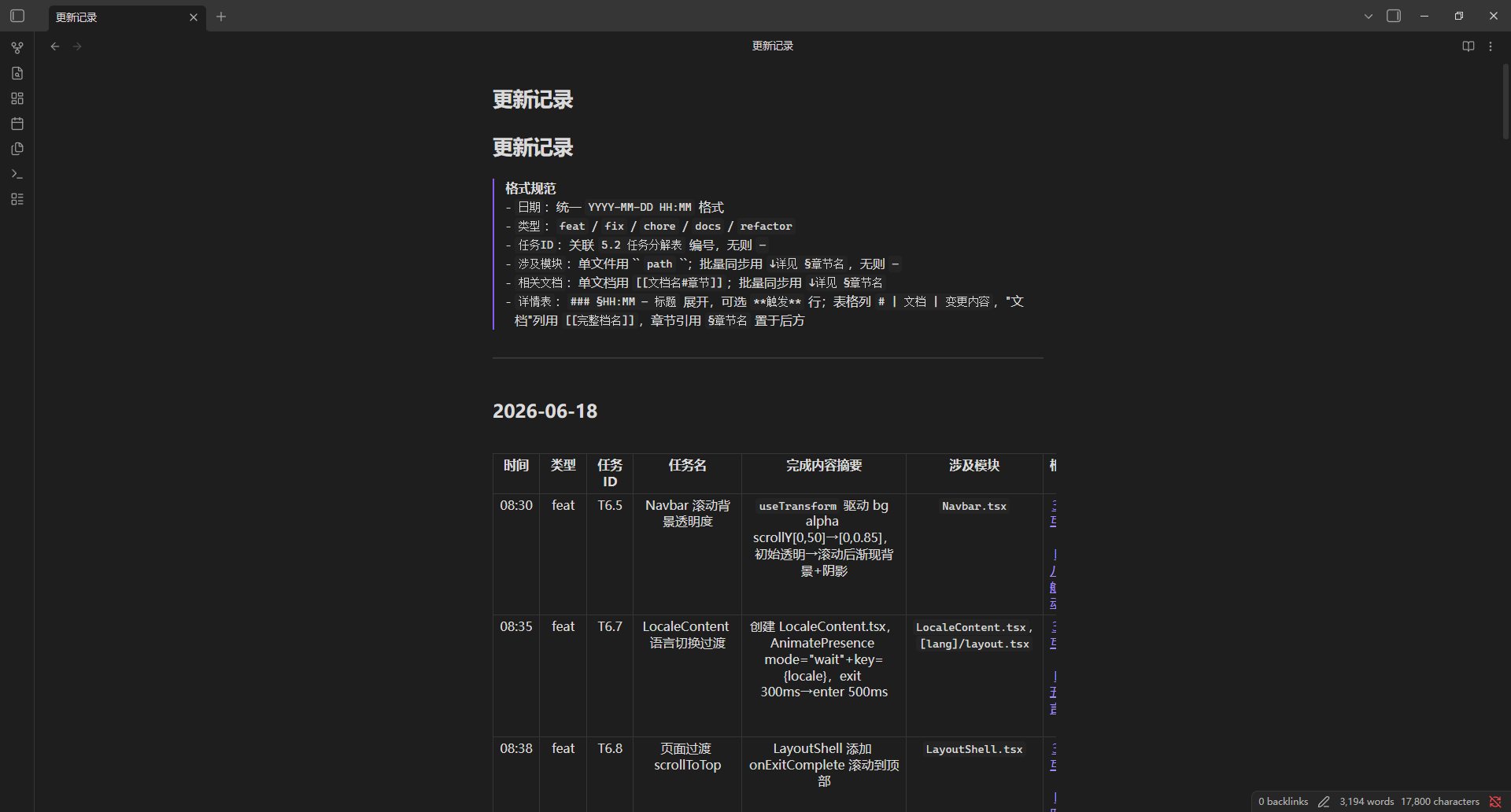
This project is part of a job-seeking portfolio, targeting HR professionals, technical managers, and fellow developers at tech companies. The final deliverable is the JunsiengPortfolio showcase website (this site). What makes this project unique in both management and technology:
- Introducing software engineering-standard documentation systems and workflows into a personal project, achieving full-process traceability
- AI Agent generates code driven by documentation, while human effort focuses on quality management, testing, translation, and bug fixes, forming a collaborative closed loop with the Agent.
Chapter 1-2
Background & Motivation
Choosing a personal portfolio site as the experimental scenario for two reasons:
- I wanted to build it
- Appropriate scale with a complete project lifecycle (from requirements to deployment)
The core reasons for adopting a documentation-first approach:
- To prevent AI Agent from generating code that deviates from expectations, establishing clear constraints and guidance through documentation
- To make the entire process reproducible, providing a standardized reference for future projects
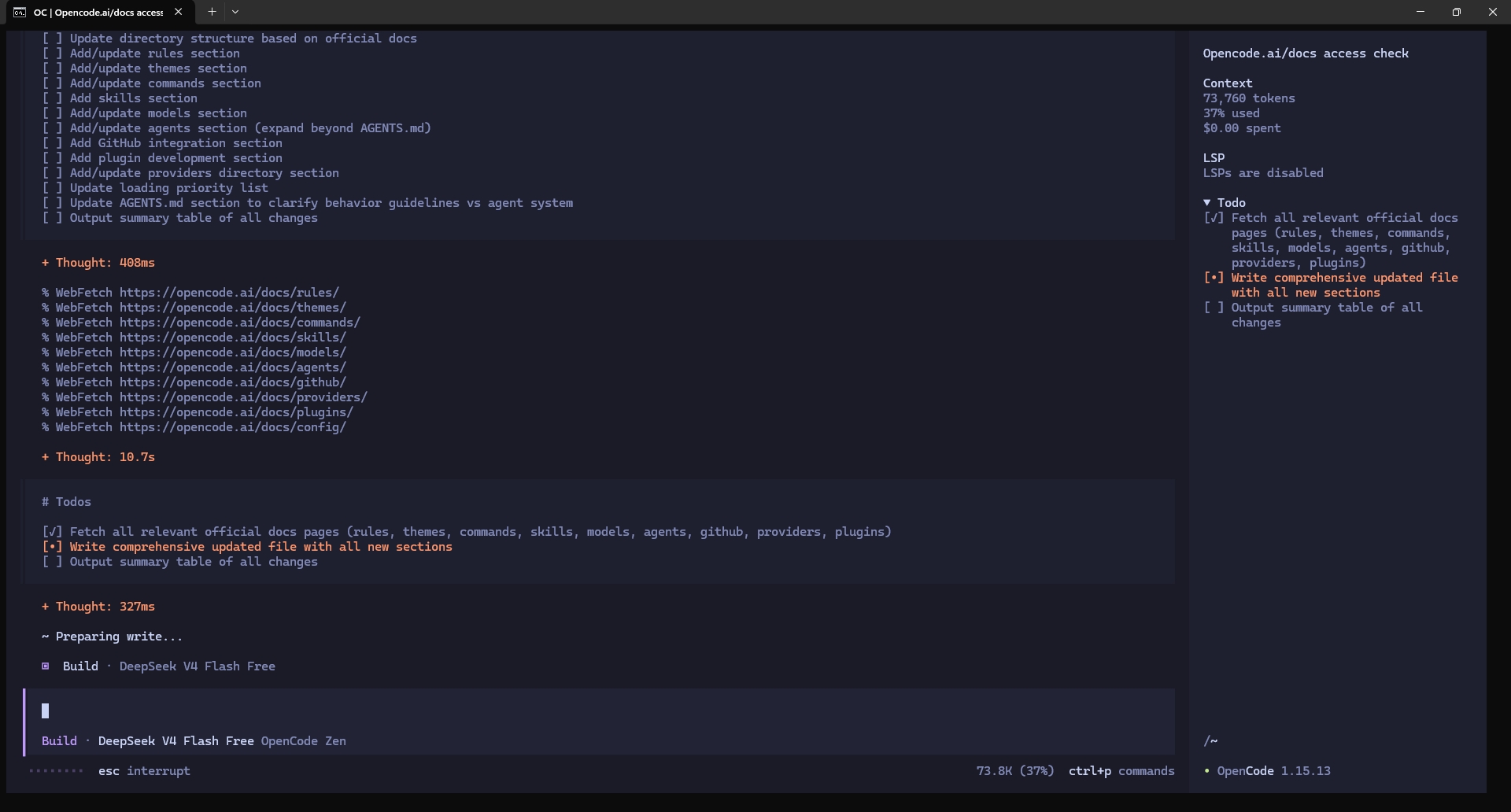
Choosing the OpenCode Agent was to explore new technical pathways and verify the feasibility of documentation-driven development in real projects. In terms of tool selection:
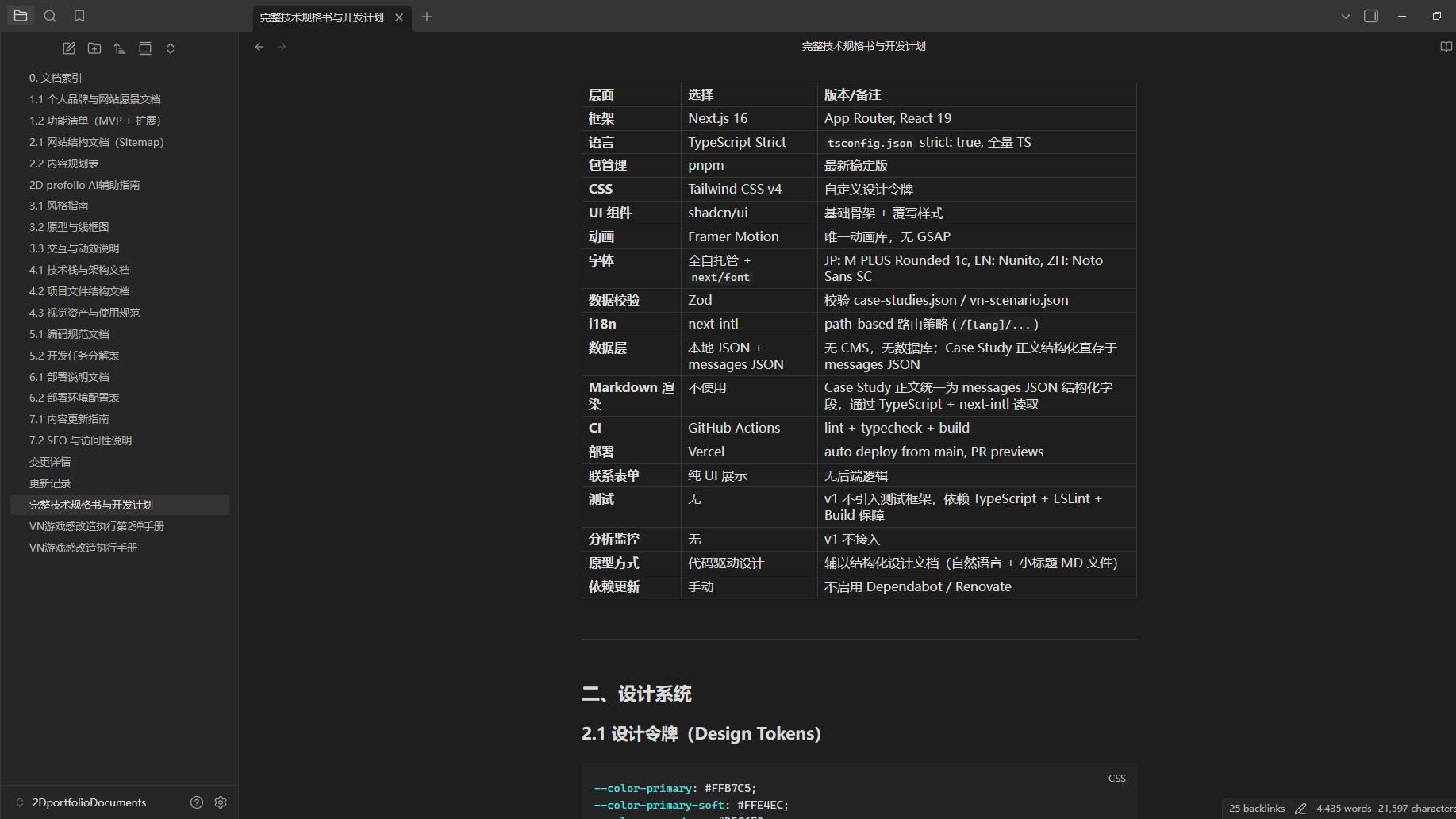
- Obsidian: Uses Markdown format, easy for AI Agent to parse while maintaining human readability
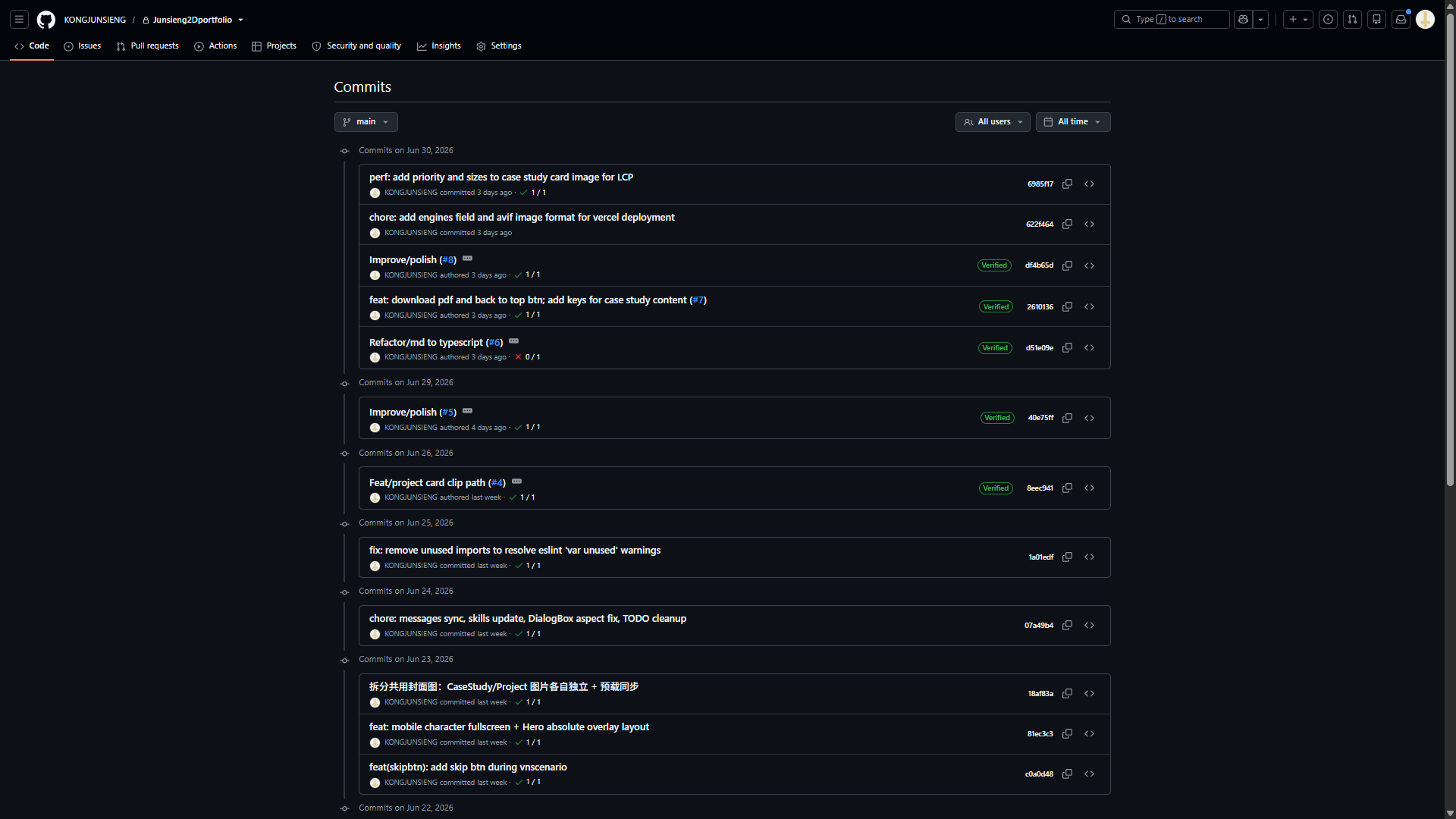
- Git: Unified management and version control for both documents and project code
- Vercel: Preferred free deployment solution
Chapter 1-3
Methodology & Architecture
The Concept and Process of Documentation-First
Following software engineering standards, a numbered document system 1.1–7.2 was established, covering the complete lifecycle from brand vision to operations and maintenance. The document relationship diagram clarifies dependency chains.
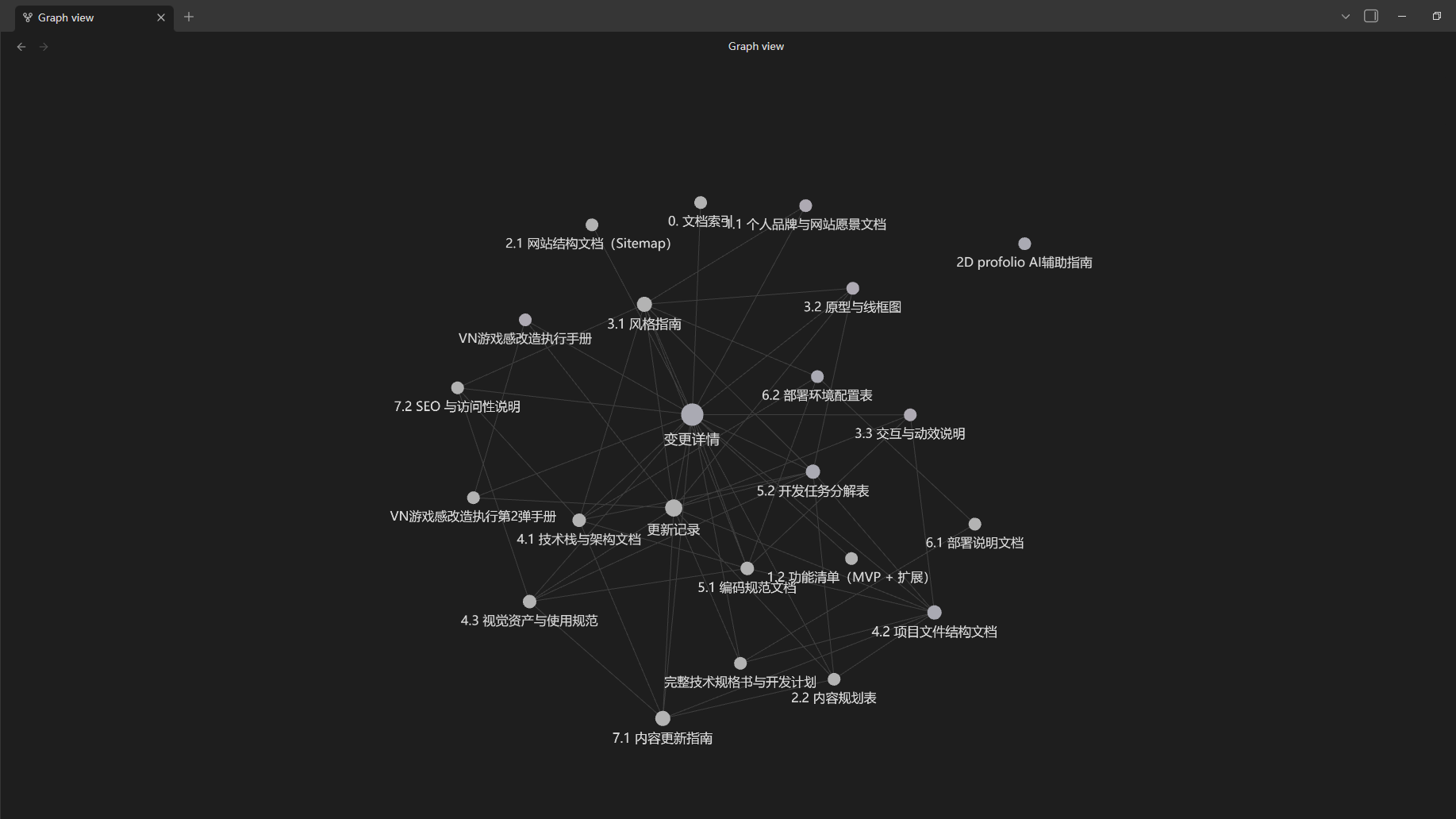
Core documents include:
| ID | Document Name | Description |
|---|---|---|
| 1.1 | Personal Brand & Site Vision | Positioning, goals, brand tone |
| 1.2 | Feature List (MVP + Extensions) | Feature scope and priorities |
| 2.1 | Site Structure (Sitemap) | Page structure and routing design |
| 2.2 | Content Planning Table | Page content and i18n key-value planning |
| 3.1 | Style Guide | Design tokens and UI specifications |
| 4.1 | Tech Stack & Architecture Document | Technology choices and architecture decisions |
| 4.2 | Project File Structure Document | Directory structure and component responsibilities |
| 4.3 | Visual Assets & Usage Guidelines | Image and font resource specifications |
| 5.1 | Coding Standards Document | Naming conventions, TS rules, conventions |
| 5.2 | Development Task Breakdown Table | 105 tasks with breakdown and scheduling |
| 6.1 | Deployment Guide | Vercel Runbook and process |
| 6.2 | Environment Configuration Table | Node.js, pnpm version locking |
| 7.1 | Content Update Guide | Ongoing maintenance procedures |
| 7.2 | SEO & Accessibility Guide | SEO metadata and a11y specifications |
(Full list in Appendix A). A dedicated VN Game-style Transformation Manual series serves as a specialized branch. The entire process is managed with Obsidian + Git to ensure version traceability.
Agent Configuration & Document Interaction
The `opencode.json` configures `external_directory` permissions, allowing the Agent to read the local Obsidian document library. `AGENTS.md` injects project context. In each development session, relevant documents are manually referenced to guide the Agent in understanding requirements, architecture, and task constraints. The Agent uses documents as the single source of truth for code generation.
System Architecture
| Layer | Choice | Notes |
|---|---|---|
| Framework | Next.js 16 App Router + React 19 | Full TypeScript Strict |
| CSS | Tailwind CSS v4 | Custom design tokens (@theme), no tailwind.config |
| Animation | Framer Motion | Sole animation library, game-style variants |
| i18n | next-intl | path-based (/[lang]/...), trilingual (zh/ja/en) |
| Data Layer | Local JSON + Zod Validation | Zero CMS/Database, read-data.ts centralized reading |
| Fonts | Fully self-hosted | JP/EN: next/font/local, ZH: @font-face 13 subsets |
| UI | Custom components | No third-party UI library; game-style components |
| Package Manager | pnpm | CI uses --frozen-lockfile |
Component architecture follows Server/Client Component boundaries: root layout is Server Component, LayoutShell and LocaleContent are Client Components handling animations and interaction states. (Full version details in Appendix C)
Deployment Plan
| Dimension | Details |
|---|---|
| Platform | Vercel Hobby (free), domain junsieng-portfolio.vercel.app |
| CI Tools | GitHub Actions, Node.js 22.x, pipeline: lint → typecheck → build |
| Auto-Trigger | main push → Production; PR create/update → Preview |
| Environment Variables | v1: none required |
| Rollback | Vercel Dashboard → Deployments → Promote to Production |
| Detailed Config | See Appendix D |
Chapter 1-4
Implementation Process
The development cycle spanned 13 days (June 16–30, 2026, approximately 2–3 hours per day), divided into 7 phases following a documentation-driven, stage-by-stage approach. In each phase, development commenced after the OpenCode Agent read the corresponding design documents. The Agent generated an initial code draft, followed by human review, revision, verification, and document synchronization.
Phase 1: Project Scaffolding & Data Layer Setup (Day 1)
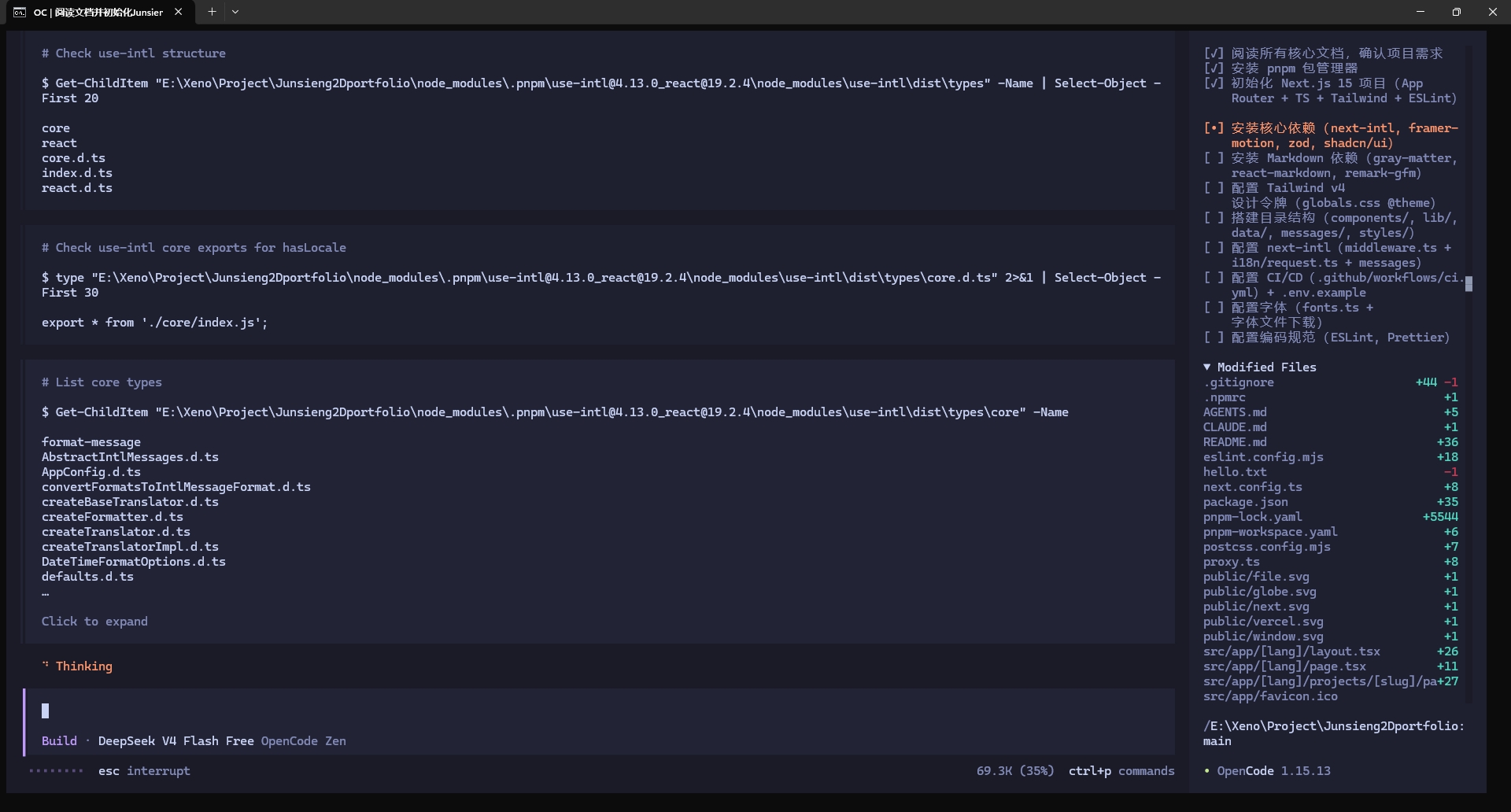
Initialized Next.js 16 App Router + TypeScript Strict + Tailwind v4 project scaffolding, installed core dependencies, set up directory structure and custom design tokens. Created Zod schemas to constrain data files, established data files in parallel, configured international routing and a unified data access layer. Set up CI pipeline.
Phase 2: Global Layout & Core Homepage Sections (Day 2)
Created global layout layer with navigation bar, footer, and language switcher. Developed all five homepage sections in parallel — HeroSection (illustration + text dual column, stagger entry sequence), CaseStudiesSection, ProjectsSection, AboutSection, ContactSection. Implemented dynamic routing and server-side SEO for Case Study detail pages. Fixed integration issues and passed full validation at the end of the phase.
Phase 3: Motion Enhancement & VN Game-style UI System (Day 3)
Created 4 groups of VN-style components and integrated them into each section. Simultaneously completed motion enhancements including Hero parallax, navigation bar scroll gradient, and language switch transitions.
Phase 4: Intro Prologue System Development (Day 4–Day 6)
Developed a complete game-style prologue system — a four-stage state machine (opening animation → title screen → scenario playback → loading transition), supporting dialogue progression, choice branching, character portrait switching, mouse repulsion, auto-advance, and other interactions. Trilingual scripts total 43 scenes with multiple branches and 6 endings.
Phase 5: Mobile Adaptation & Interaction Enhancement (Day 7–Day 10)
Mobile layout and interaction refactoring. Added card expandable details and idle animations. Completed project content enrichment and trilingual synchronization in parallel.
Phase 6: Code Cleanup & Document System Restructuring (Day 11–Day 12)
Systematically removed unused code and exports. Restructured the change log into a dual-layer document structure of summary tables and detailed change tracking. Simultaneously revised the development task breakdown table.
Phase 7: Data Layer Restructuring & Deployment Preparation (Day 13)
Migrated Case Study detail content from the Markdown compilation pipeline to reading directly from JSON message files, restructured the template rendering system. Added download button and back-to-top button, configured image formats and engine constraints. After full code validation, pushed to main branch in preparation for Vercel deployment.
See the results table below for detailed metrics. Whenever Agent behavior deviated from document expectations, a bidirectional feedback loop of "code correction → document synchronization" was applied to calibrate, forming a closed-loop iterative model of human-AI collaboration.
Chapter 1-5
Key Challenges & Solutions
Challenge 1: Complex OpenCode Configuration
Description: Starting from scratch with the OpenCode Agent presented a steep configuration learning curve. Beyond basic features, advanced configuration involved multiple dimensions: permission granularity (`external_directory` to allow the Agent to read external Obsidian document libraries), skill reference injection, AGENTS.md project context definition, and token management. Although the official documentation is comprehensive, its extensive structure made it necessary to understand configuration ordering, parameter interdependencies, and the necessity of each setting through extensive trial and error.
Resolution: Avoid relying entirely on AI chat tools or the official documentation. AI chat tools (such as ChatGPT, etc.) often provide outdated or inaccurate configuration guidance. Position them as "advanced search engines" to discover source materials. The specific learning path: first reference others' configuration practices on platforms like GitHub to build preliminary understanding, then combine chat tools with official documentation for verification, finally forming a complete understanding of your own configuration system through repeated practice.
Challenge 2: Time Investment in Requirements Discussion & Documentation
Description: The inherent upfront cost of the documentation-first approach. Before any code development, approximately 8 hours 25 minutes were invested independently to complete 20+ numbered documents, covering the complete lifecycle from brand vision to operations. Each document underwent detailed requirements discussion, solution evaluation, and item-by-item completion — few iterations but significant time investment.
Resolution: This is a design decision that must be weighed against project nature. Documentation granularity directly determines the degree of deviation between AI Agent output and expectations — in this project, the developer had clear requirements and pursued high precision, hence choosing to invest ample time in comprehensive documentation. If the project goal leans more toward rapid prototype validation with AI leading creative exploration, documentation investment could be reduced appropriately, accepting some degree of deviation to be corrected in subsequent iterations.
Challenge 3: AI Agent Struggles to Proactively Identify Blind Spots
Description: AI Agents are fundamentally designed to follow user instructions. In most cases, they merely follow the user's logic without proactively identifying or pointing out blind spots in the user's understanding. When users lack experience in a domain, their logic may contain non-standard assumptions or miss key considerations. For example, the Zod schema in this project omitted the `characterImage` field, preventing character portraits from switching — the user didn't realize the field needed to be declared, and the Agent didn't proactively flag this.
Resolution: There is no perfect solution to this problem given current AI model capabilities and prompt precision. An effective mitigation strategy is to guide the Agent to role-shift through specific prompt design — for example, asking it to "critique the current approach against industry standards" or "list common technical risks in this domain that haven't been considered." The level of Agent intelligence, the clarity of the user's logic, and prompt accuracy collectively determine the impact of this challenge.
Challenge 4: Humans Struggle to Precisely Describe UI Feel
Description: In UI fine-tuning scenarios, subjective perceptual aspects like spacing, color, and typography are difficult to quantify into precise instructions executable by an AI Agent. Agents can only understand specific values (px, rem, color codes), while human perception of interfaces is holistic — descriptions like "this button doesn't stand out enough" or "the spacing between these two lines feels wrong" lack actionable specificity for Agents.
Resolution: Adopt a binary strategy based on whether a reference exists. When a reference is available, provide concrete examples ("same spacing as the SectionTitle component" or "refer to a specific website's button style") to help the Agent establish a frame of reference. When no reference exists and fine adjustments are needed, the developer should read and modify the code directly — efficiency and results are both superior to repeatedly describing visual impressions through natural language for the Agent to infer intent.
Challenge 5: Deviation Between Documentation and Implementation
Description: Specifications in design documents inevitably diverge from actual code implementation. The root cause is primarily the natural evolution of requirements — during development, better solutions or new ideas emerge, causing code to deviate from original document specifications. For example, the DialogBox component underwent three architectural iterations: CSS approach → PNG assets → CSS triple-layer rounded structure. Each iteration was implemented in code first, then documents were synchronized retroactively.
Resolution: Deviation is unavoidable; the key lies in establishing a reliable synchronization mechanism. The personal choice was a "fix code first, sync documents later" workflow: first verify the feasibility of new solutions in code, then reflect changes in corresponding design documents after confirmation. This is a personal preference rather than an industry standard — one could also choose a "fix documents first, then code" workflow to ensure documents always lead. The important thing is maintaining final consistency between the two, not pursuing the absolute elimination of deviation.
Challenge 6: High Maintenance Cost of Document Synchronization
Description: After each code change, corresponding design documents must be aligned with actual implementation. In this project, a single batch synchronization involved 6 to 22 documents, each requiring checking whether field descriptions, component interfaces, data structures, etc., matched the code. In the later stages of the project, the 462-line change log was restructured into a dual-layer structure of summary tables and detailed change tracking to reduce maintenance burden.
Resolution: The maintenance work itself is driven by AI Agent prompts, making time consumption manageable. The key challenge is that the human must accurately record the change context for the Agent to fill in. The reasons for not automating document synchronization requirements into AGENTS.md are threefold:
- AGENTS.md instruction stability is insufficient
- It would occupy context window space that may impact core tasks
- Automation might distract the Agent during critical feature development
Document granularity is not reduced — documents serve both as key references for future maintenance and as complete proof of the work process.
Challenge 7: AI Agent Loses Focus in Long Sessions
Description: As sessions progress, the context window accumulates, and the AI Agent's attention on current task objectives gradually scatters, leading to declining work quality. The Agent may forget early constraints, confuse modified file states, or stray from core requirements in complex tasks.
Resolution: Focus on one feature per session, close it upon completion and start a new one. The OpenCode Agent runs with local Ollama models, so token consumption is not a concern — frequent session restarts incur no additional cost. This strategy is less economical for paid Agent products that charge per token, but the community already has other solutions for those (such as session summary compression, sub-agent division of labor, etc.).
Chapter 1-6
Results & Showcase
Deliverables Overview
| Dimension | Result |
|---|---|
| Code Scale | 60+ files covering components, data layer, internationalization, styling, and configuration |
| Development Tasks | 105 tasks (Phase 1–12), 100% completed |
| Design Documents | 20+ numbered documents (1.1–7.2), including VN Game-style Transformation Manuals |
| Development Cycle | 13 days (documentation phase approximately 8 hours 25 minutes) |
| Human-AI Role Distribution | Agent handles code generation and document synchronization; human handles requirements definition, quality review, bug fixes, and deployment |
Features
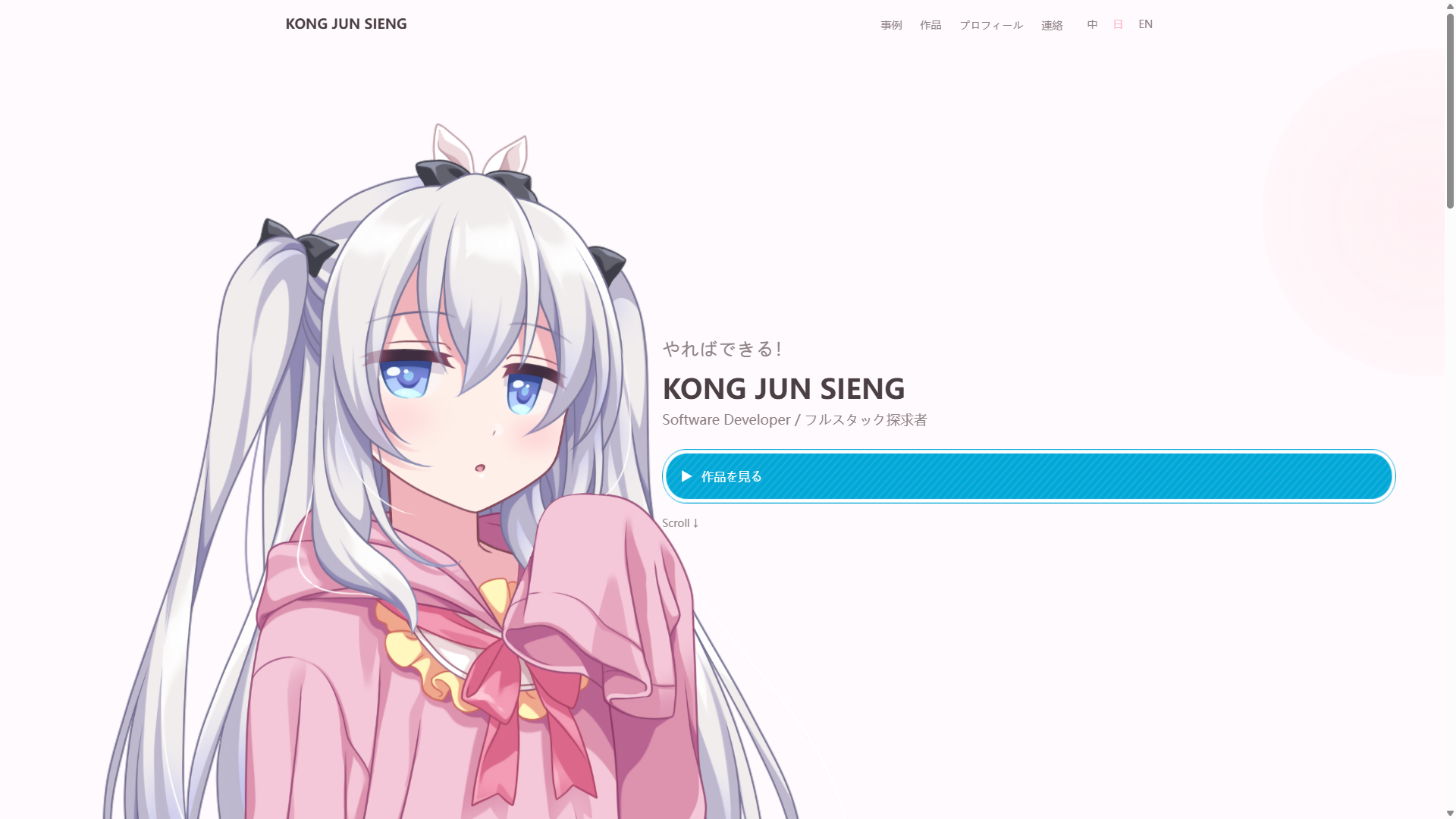
Five Homepage Sections: HeroSection (full-screen character illustration + parallax + glow pulse animation), CaseStudiesSection (case study cards + idle wiggle effect), ProjectsSection (dual-column grid + clip-path circular expand details), AboutSection (dialog box narrative + ATS skill tags), ContactSection (email/social/resume download, display-only no form).
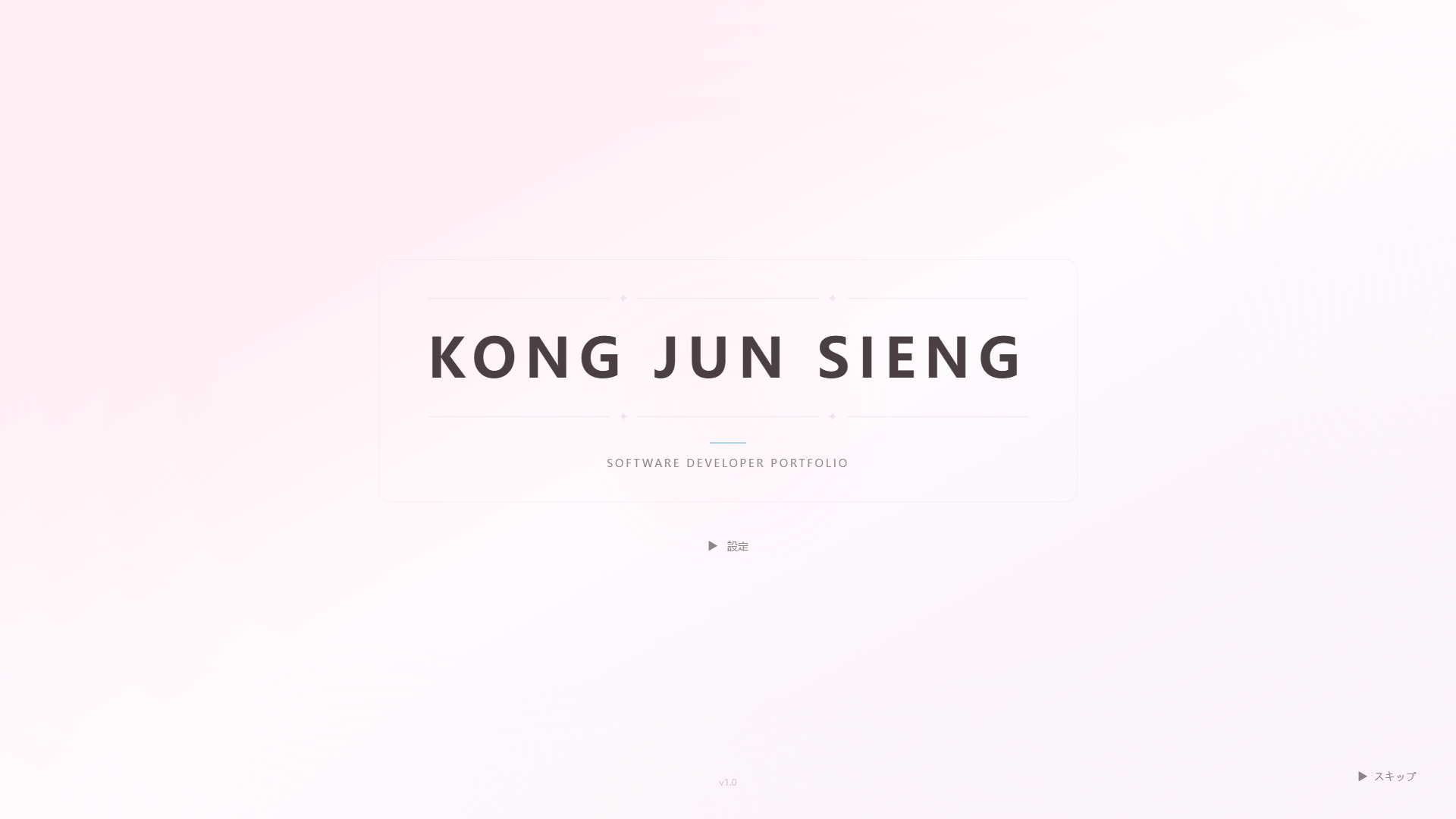

VN Game-style Prologue System: Four-stage Intro flow (opening animation → title screen → scenario playback → loading transition), 43 scenes with trilingual scripts, 7 character expressions, multi-branch choices, mouse repulsion interaction, auto-advance, Skip functionality. Visitors experience the prologue before entering the homepage.

Game-style UI System: Chapter title system (CHAPTER label + blue underline), blue dialog box narrative, option button interactions, transition dialogues, dynamic navigation bar scroll effects, full Framer Motion variant suite (staggerContainer / chapterReveal / dialogSlideUp, etc.).
Trilingual Internationalization: zh/ja/en complete trilingual support, path-based routing (/[lang]/...), driven by next-intl.
Case Study Detail Page: 9-section structured content (executiveSummary → appendix), PDF download, BackToTop button, server-side generateMetadata SEO.
Code & Architecture Quality
- Full TypeScript Strict: tsconfig.json enables strict + noUncheckedIndexedAccess + noImplicitReturns, all component Props wrapped with Readonly<{...}>
- Tailwind CSS v4 Design Tokens: @theme defines complete color system (primary/secondary/accent/dialog-blue, etc.), fonts, spacing, border radius, shadows
- Zod Data Validation: All JSON data files pass schema type checking, zero CMS/Database
- CI/CD: GitHub Actions runs lint → typecheck → build, Node.js 22.x
- Server/Client Component Boundary: Strict separation of server-side data reading and client-side animation interactions
Online Links
Production: `https://junsieng-portfolio.vercel.app` (pending deployment)
Chapter 1-7
Discussion
Advantages of the Documentation-First + Agent Approach
The return on investment for the documentation-first approach is quite significant — the first round of Agent generation already covered most of the feature skeleton. Approximately 40% increase in requirements beyond the original documents with increased complexity was the main factor extending the development cycle — indicating that the documentation-first model's time advantage is prominent in the initial phase, and project delays stem from natural requirement evolution rather than the process itself.
Agent output stability under documentation constraints is another core benefit. Clear architecture conventions, component interface definitions, and design token specifications enabled Agent-generated code to largely meet project standards on first submission, reducing communication overhead from repeated requirement clarification and convention alignment.
Natural Advantages of OpenCode CLI
OpenCode's command-line interface design brings two unique advantages in the development workflow:
- Multi-window Parallel Development: OpenCode CLI's lightweight architecture allows running multiple independent sessions simultaneously, each focusing on different feature modules (e.g., one window developing components, another synchronizing documents) without interference. This effectively reduces serial waiting time, but requires each window's tasks to have clear documentation constraints and quality acceptance standards — without a documentation baseline, multi-window parallelism may lead to code style fragmentation or architectural inconsistency.
- Local Deployment for Data Security: OpenCode natively supports connecting to local Ollama models, providing an ideal solution for projects involving confidential information or undisclosed business logic. All code and documents needed for Agent development can run entirely locally without uploading to any third-party API service.
Inherent Limitations
This model struggles most with UI micro-adjustments. Subjective perceptual aspects like spacing, color, and typography are difficult to quantify into executable instructions for the Agent. Agents can only understand numerical values (px, rem, color codes), while human perception of interfaces is holistic. The time investment in description and discussion is disproportionate to final satisfaction in UI fine-tuning scenarios. When no reference exists and fine adjustments are needed, the developer modifying code directly yields better efficiency and results than repeatedly describing visual impressions through natural language for the Agent to infer intent.
Workflow & Role Transformation
This model shifts the developer's role from "writing code" to "defining requirements, making decisions, reviewing code." The developer no longer writes implementation line by line but focuses on translating requirements into precise documentation specifications, making technical decisions at key junctures, and verifying the quality and consistency of Agent-generated code.
This shift places higher demands on fundamental skills and industry experience. AI Agents are fundamentally designed to follow user instructions and will not proactively identify or point out blind spots in the user's understanding. When users lack experience in a domain, their logic may contain non-standard assumptions or miss key considerations that Agents cannot automatically compensate for. An effective mitigation strategy is to guide the Agent to role-shift through prompt design (e.g., asking it to "critique the current approach against industry standards"), but the final solution quality still highly depends on the user's logical clarity and domain knowledge depth.
Team Scenario Extrapolation
If this model were extended to a team scenario (each member paired with an Agent), differentiated characteristics are expected. The document discussion phase would see significantly increased communication costs due to multi-role coordination (UI design, frontend, backend, testing), requiring the Tech Lead to establish the overall framework first, then each role refines their domain documents. The development and testing phases would benefit from rapid initialization advantages due to documentation-driven approach, with efficiency and quality depending on each role's document detail and accuracy. It should be noted that this extrapolation is based on personal project experience and has not been fully validated in a commercial team setting.
HR/Management Perspective
A candidate proactively trying AI Agent development approaches and establishing a complete workflow is itself a positive signal. A potential question: "Why is the development cycle still considerable despite Agent assistance?" — two reasons:
- Agent configuration and tuning have a learning curve; results depend on the user's proficiency with the tool
- There is a direct trade-off between documentation granularity and output stability — the more detailed the documentation (greater upfront investment), the more stable the Agent output; choosing between fast-start-with-extensive-optimization versus slower-start-with-minor-optimization depends on the project's different requirements for delivery speed and quality
Open Source & Commercial Boundaries
The selected technology stack (Next.js, React, Tailwind CSS, Framer Motion, Zod, etc.) all use permissive licenses (MIT, Apache 2.0, etc.) with no compliance concerns for personal portfolio or commercial use. The OpenCode Agent is also open-source; enterprises incorporating it into commercial workflows should review license terms themselves.
Additionally, regarding the common concern about "AI Agent developer competence": some may think developers using AI Agents lack real ability. Quite the opposite — the Agent's compliance-oriented design makes it highly dependent on the user's industry experience and logical judgment. The more effectively one uses an Agent, the more it demonstrates their proficiency in requirements decomposition, architectural design, quality control, and other fundamental skills.
Chapter 1-8
Reflections & Best Practices
Documentation Density Over Iterative Fixing
The core takeaway validates a principle: investing sufficient time in the documentation phase to establish a high-quality baseline yields far greater long-term returns than a "quick start → repeated fixes" iterative path (see "Key Challenges → Challenge 2" for specific data). This contrasts with the common "rapid prototype validation" advocacy — the latter is better suited for projects with vague requirements or creative exploration, while this case demonstrates that when developers have clear quality expectations, upfront documentation investment is the optimal path to efficiency.
For a next similar project, I would maintain the same documentation density while experimenting with more Agent configuration variants (such as skill chaining, multi-Agent division of labor, etc.) to explore the boundaries of different configuration strategies on output quality. Although the process design has tried to follow industry software engineering standards as much as possible, as an individual lacking commercial team experience, the completeness and correctness of these standards require further validation in an actual team setting — this also delineates the boundaries of personal capability and identifies areas needing focused learning.
Upgraded Understanding of Agent Development Capabilities
The process of configuring OpenCode Agent from scratch brought a systematic understanding of the AI development toolchain. The collaborative relationship between skill (domain expertise injection), MCP (Model Context Protocol), and AGENTS.md (project context definition) — skills provide domain-specific knowledge, AGENTS.md injects project-level constraints, MCP extends tool boundaries — forms the core skeleton of Agent configuration.
In prompt engineering, "role-shift prompting" was validated as effective: asking the Agent to "critique the current approach against industry standards" or "list common technical risks in this domain that haven't been considered" can partially mitigate the blind-spot issues arising from Agent's compliance-oriented design. However, prompt effectiveness is highly dependent on the user's own domain knowledge depth — users must first identify potential blind spots before designing prompts that guide the Agent to fill them. In the age of AI-assisted development, the requirements for developers' fundamental skills are not lowered but raised.
Practical Advice on Tool Selection
For peers considering trying Agent-driven development workflows, here is practical tool selection advice: if budget is ample and the priority is the lowest barrier to entry, Claude (Anthropic) as the most mature Agent product is a solid choice; if seeking low-cost entry with local deployment capability, OpenCode is the optimal solution — its open-source nature allows using local Ollama models for sensitive projects without uploading code or documents to third-party services. Starting Agent-driven development with OpenCode allows building a complete understanding of core concepts like Agent configuration, document interaction, and session management in a zero-cost environment, making migration to other paid products smoother.
Chapter 1-9
Conclusion & Outlook
Core Findings
The documentation-first + AI Agent development model demonstrates significant operability and return on investment in personal projects. The core mechanism: using a software engineering-standard documentation system (20+ numbered documents covering the complete lifecycle) as the Agent's constraint framework and source of truth, forming a collaborative closed loop between human strengths (requirements definition, architecture decisions, quality review) and Agent strengths (code generation, document synchronization, repetitive task automation). In the first development session, this model achieved approximately 80% one-shot high-quality generation of the feature skeleton, validating the positive correlation between documentation density and Agent output quality.
From a broader perspective, the AI-assisted development era is reshaping the definition of developer capabilities: while tool barriers are lowering, the requirements for requirements decomposition, architectural judgment, and quality control are rising. The more effectively one uses an Agent, the more it highlights their proficiency in these fundamental dimensions.
Applicable Scenarios
This model is best suited for:
- Developers with relatively clear requirements expectations, prioritizing delivery quality over rapid prototype validation
- Projects of moderate scale (personal projects or small teams), where documentation maintenance costs are manageable
- Developers with some software engineering knowledge who can write structured design documents
For projects with vague requirements, creative exploration-oriented goals, or extremely short development cycles, reducing documentation granularity for faster startup may be the more pragmatic choice.
Future Directions
Several directions for future exploration. First, plans to include Claude or other mainstream Agent products in comparative testing, evaluating output quality and development efficiency differences across Agents under the same documentation system. Second, this documentation-first + Agent-driven workflow will be reused in other personal projects (such as a game development plan, still in the concept phase), verifying the methodology's transferability across domains. Finally, document workflow automation — if some documentation content can be automatically generated or synchronized through Agent or scripting tools, overall efficiency will further improve. The common goal: gradually evolving a single practice into a standardizable, reusable personal development methodology.
Chapter 1-10
Appendix
Appendix A: Complete Document System Inventory
| ID | Document Name | Description |
|---|---|---|
| 0 | Document Index | Global document map and cross-references |
| 1.1 | Personal Brand & Site Vision | Positioning, goals, brand tone |
| 1.2 | Feature List (MVP + Extensions) | Feature scope and priorities |
| 2.1 | Site Structure (Sitemap) | Page structure and routing design |
| 2.2 | Content Planning Table | Page content and i18n key mapping |
| 3.1 | Style Guide | Design tokens and UI specifications |
| 3.2 | Prototypes & Wireframes | Layout and information hierarchy |
| 3.3 | Interaction & Motion Specifications | Animation specs and interaction behavior |
| 4.1 | Tech Stack & Architecture Document | Technology choices and architecture decisions |
| 4.2 | Project File Structure Document | Directory structure and component responsibilities |
| 4.3 | Visual Assets & Usage Guidelines | Image and font resource specifications |
| 5.1 | Coding Standards Document | Naming conventions, TS rules, conventions |
| 5.2 | Development Task Breakdown Table | 105 tasks with breakdown and scheduling |
| 6.1 | Deployment Guide | Vercel Runbook and process |
| 6.2 | Environment Configuration Table | Node.js, pnpm version locking |
| 7.1 | Content Update Guide | Ongoing maintenance procedures |
| 7.2 | SEO & Accessibility Guide | SEO metadata and a11y specifications |
| — | VN Game-style Transformation Manual | VN-style transformation specifications and implementation record |
| — | VN Game-style Transformation Vol. 2 | Intro prologue system specifications and implementation record |
| — | Complete Technical Specifications & Development Plan | Comprehensive technical specifications |
| — | AI-Driven Development Overview & Workspace Rules | Agent configuration and development workflow |
| — | Change Log | Change log summary (108 lines) |
| — | Change Details | Detailed change tracking (394 lines) |
| — | TODO Development Checklist | Phased checklist |
Appendix B: OpenCode Agent Configuration Highlights
opencode.json core configuration:
{
  "instructions": [".opencode/skills/frontend-design/SKILL.md"],
  "permission": {
    "external_directory": {
      "E:/Xeno/Obsidian/2DportfolioDocuments/**": "allow"
    },
    "edit": {
      "E:/Xeno/Obsidian/2DportfolioDocuments/**": "ask"
    }
  }
}- `external_directory`: Grants the Agent permission to read the Obsidian document library, enabling direct access to all 20+ design documents during development sessions
- `edit.ask`: Modifications to Obsidian documents require manual confirmation, preventing the Agent from changing design documents without review
- `instructions`: Loads the frontend-design skill, injecting frontend design decision guidance into the Agent
- AGENTS.md: Injects project context at the project root, covering framework version, architecture conventions, component specifications, routing rules, etc.
Appendix C: Dependency & Version Details
| Category | Dependency | Version |
|---|---|---|
| Framework | next | 16.2.9 |
| Framework | react / react-dom | 19.2.4 |
| Internationalization | next-intl | 4.13.0 |
| Animation | framer-motion | 12.40.0 |
| Data Validation | zod | 4.4.3 |
| Icons | lucide-react | 1.18.0 |
| CSS Utilities | clsx | 2.1.1 |
| CSS Utilities | tailwind-merge | 3.6.0 |
| Build Tool | tailwindcss | 4.x |
| Build Tool | @tailwindcss/postcss | 4.x |
| Type System | typescript | 5.x |
| Linting | eslint | 9.x |
| Linting | eslint-config-next | 16.2.9 |
| Package Manager | pnpm | 11.7.0 |
Appendix D: CI/CD Pipeline Configuration
name: CI
on:
  push:
    branches: [main]
  pull_request:
    branches: [main]

jobs:
  ci:
    runs-on: ubuntu-latest
    steps:
      - uses: actions/checkout@v4
      - uses: pnpm/action-setup@v4
      - uses: actions/setup-node@v4
        with:
          node-version: 22
          cache: pnpm
      - run: pnpm install --frozen-lockfile
      - run: pnpm run lint
      - run: pnpm run typecheck
      - run: pnpm run build
The pipeline strictly follows the order lint → typecheck → build. Pushes to main automatically trigger Production deployment, PR creation or updates trigger Preview deployment (managed by Vercel GitHub Integration).
Appendix E: Development Environment Specifications
| Item | Specification |
|---|---|
| Processor | 11th Gen Intel Core i7-11700K @ 3.60 GHz |
| Memory | 16.0 GB RAM |
| GPU | NVIDIA GeForce RTX 3060 12 GB |
| OS | Windows 11 64-bit |
| Node.js | >= 22.0.0 |
| pnpm | 11.7.0 |
| Local AI Model | Ollama (Qwen3 and other open-source models) |
References
| Tool/Framework | Version | Purpose |
|---|---|---|
| OpenCode Agent | — | AI-driven development Agent |
| Ollama | — | Local LLM runtime environment |
| Next.js | 16.2.9 | React framework (App Router) |
| React | 19.2.4 | UI library |
| TypeScript | 5.x | Type system |
| Tailwind CSS | 4.x | CSS framework |
| Framer Motion | 12.40.0 | Animation library |
| next-intl | 4.13.0 | Internationalization framework |
| Zod | 4.4.3 | Data validation |
| pnpm | 11.7.0 | Package manager |
| Vercel | — | Deployment platform |
| GitHub Actions | — | CI/CD |
| Obsidian | — | Document management |
| Git | — |